
UNIZULU Moodle 2026: Login, Student Portal & Online Learning Guide

If you are a University of Zululand student, UNIZULU Moodle is the place where your online academic life happens. It is the university’s Learning Management System (LMS), where you find course materials, assignments, announcements and other resources from your lecturers. The official website is learn.unizulu.ac.za, which links to a separate Moodle area for each faculty.This guide covers how to log in, where to find your faculty page, how to use the mobile app and what to do when something goes wrong. The information comes from the university’s own published documentation.

What Is UNIZULU Moodle?

UNIZULU Moodle is the University of Zululand’s online learning platform, built on Moodle, one of the most widely used learning management systems in the world. It gives students a central place to reach digital learning content and course activities without visiting campus.FOR more information visit my HOME PAGE.

The current LMS is split into several sections:

  • Humanities and Social Sciences
  • Commerce, Administration and Law
  • Education
  • Sciences
  • Teaching and Learning Centre
  • Student Support and Academic Support

Because of this structure, you cannot simply log in at one universal page. You first need to open the area that matches your programme, and then sign in there.

What Is UNIZULU Moodle online learning platform

What Does Moodle Stand For, and What Can You Do on It?

The name Moodle stands for Modular Object-Oriented Dynamic Learning Environment. It is free, open-source learning software that universities around the world use to run online courses. When you use unizulu moodle, you are using this platform, set up by the University of Zululand for its own students and lecturers.

Depending on how your lecturer builds the course, you may find several tools inside it:

  • Course content and learning materials
  • Discussion forums and chat
  • Glossaries and database activities
  • Quizzes, assignments and other assessments
  • Announcements and blog-style posts

Not every course uses every tool, so what you see will differ from module to module.

How to Find Your Course by Category

After you log in on your faculty page, such as the moodle faculty of science page at learn.unizulu.ac.za/facultyOfScience/, you can also browse for courses:

  • Scroll down the page to Course categories.
  • Select your School or department.
  • Open your course from the list.
  • Your course content will appear on the next page.

This works the same way on the sci moodle and the other faculty pages, and it is useful when a module does not show up on your dashboard.

Forgot Your Password? Try the Reset Link First

Before you email anyone, use the Forgotten your username or password? link on the unizulu login page. Type in your username or your email address, and if Moodle finds your account, it sends reset instructions to your email. If nothing arrives, contact the ICT Student Desk at [email protected], as explained above.

Official UNIZULU Moodle Website and Links

Always start from the official address. The main gateway is:

Main LMS website: https://learn.unizulu.ac.za/

From there, you can choose your faculty, or go straight to the faculty page you need:

FacultyOfficial Moodle link
Faculty of Sciencelearn.unizulu.ac.za/facultyOfScience/
Faculty of Educationlearn.unizulu.ac.za/facultyOfEducation/
Humanities and Social Scienceslearn.unizulu.ac.za/facultyOfArts/
Commerce, Administration and Lawlearn.unizulu.ac.za/facultyOfCommLaw/

Never type your student number or password on an unofficial site. Only use addresses that begin with learn.unizulu.ac.za.

Moodle UNIZULU Faculty of Science

Students in the sciences use the moodle unizulu faculty of science page, which the university describes as its Learning Management System for the Faculty of Science, Agriculture and Engineering. Many students call it the sci moodle for short.The official page is here: https://learn.unizulu.ac.za/facultyOfScience/.This is also the address you enter when setting up the Moodle mobile app, which Part 3 explains. If you are in the faculty, bookmark this page so you always land on the correct moodle faculty of science login screen.

Moodle UNIZULU Faculty of Science online learning portal

UNIZULU Moodle Faculty of Education

Education students have their own area, often searched as unizulu moodle faculty of education or moodle unizulu faculty of education. Your teaching-related courses, lecturer notices and learning materials are found there.The official page is here: https://learn.unizulu.ac.za/facultyOfEducation/.Using the wrong faculty page is a common reason students cannot find their courses, so check that you have picked the area that matches your registered programme.

UNIZULU Moodle Faculty of Education online learning portal

Quick Summary So Far

  • The official gateway is learn.unizulu.ac.za.
  • Each faculty has its own Moodle address.
  • Your username is your student number, and you sign in with your UNIZULU password. Part 2 covers the exact login steps.

How to Complete the UNIZULU Login on Moodle

The unizulu login process is the same for every faculty. Only the starting page changes. Follow these steps in order.
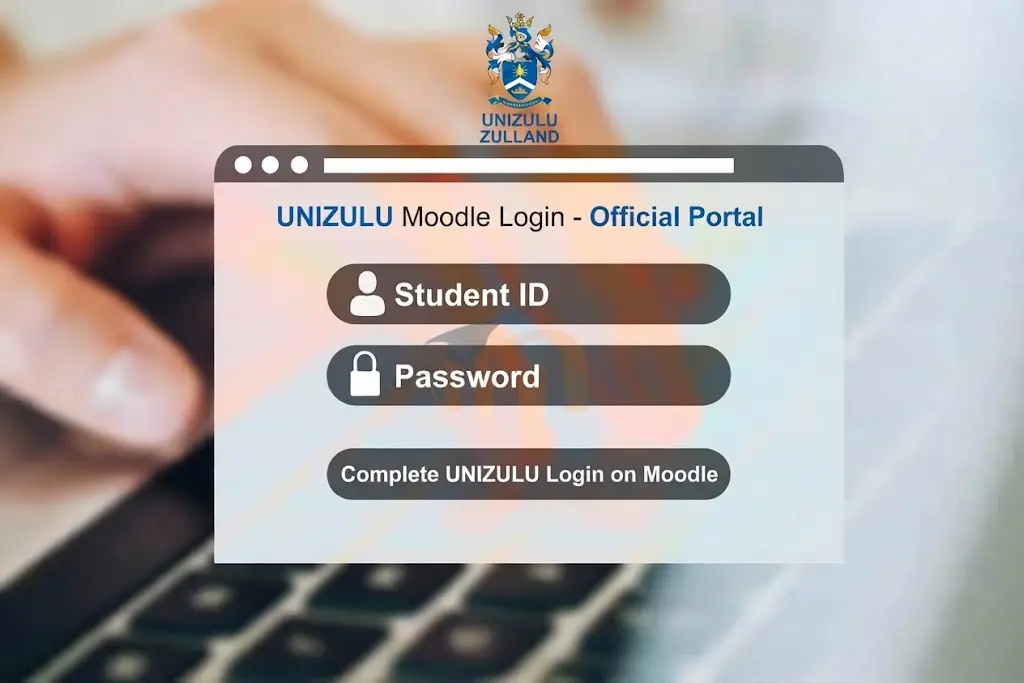
Complete the UNIZULU login on Moodle

Step 1: Open the Official Website

Go to the main gateway at https://learn.unizulu.ac.za/. Check the address bar before you type anything. The address should begin with learn.unizulu.ac.za.

Open the official UNIZULU website

Step 2: Choose Your Faculty Page

Select the page that matches your registered programme:

  • Science students: learn.unizulu.ac.za/facultyOfScience/. This is the moodle unizulu faculty of science page, also called the sci moodle.
  • Education students: learn.unizulu.ac.za/facultyOfEducation/. This is the moodle unizulu faculty of education page.
  • Humanities and Social Sciences: learn.unizulu.ac.za/facultyOfArts/
  • Commerce, Administration and Law: learn.unizulu.ac.za/facultyOfCommLaw/
Choose your faculty page on UNIZULU Moodle

Step 3: Click “Log in”

On your faculty page, click the Log in link. You will see it near the top of the screen when you are not signed in.
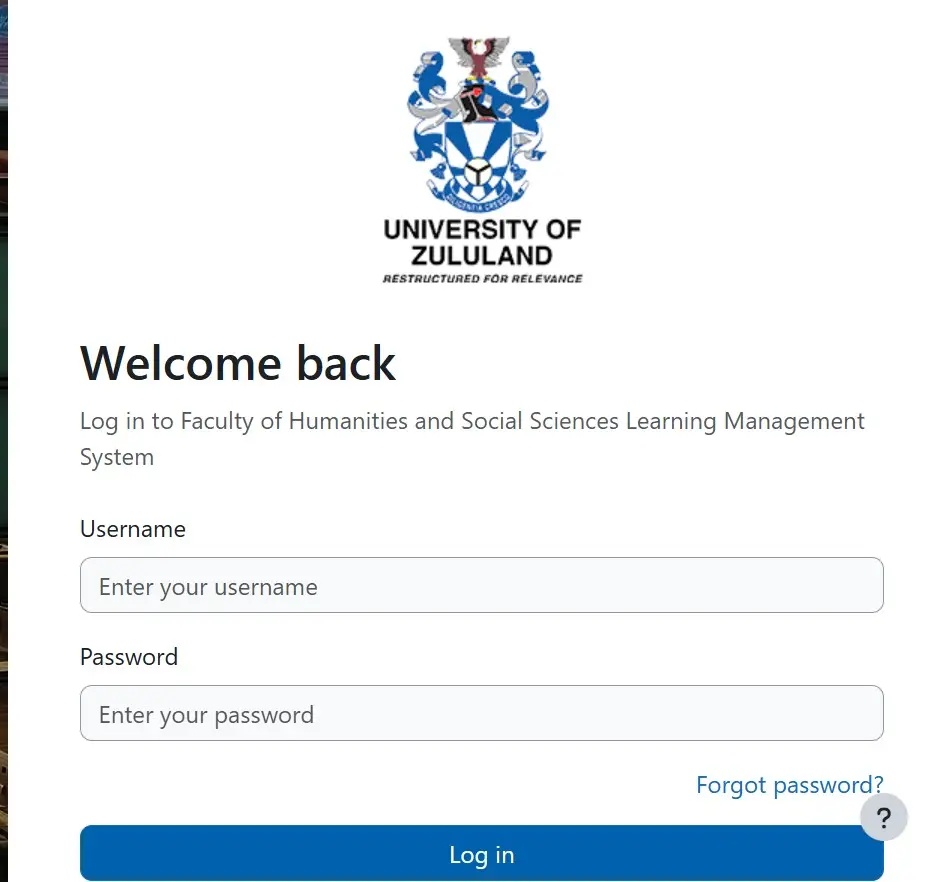
Click Log in on UNIZULU Moodle

Step 4: Enter Your Student Number

Type your UNIZULU student number in the username field. The university’s published information lists the student number as the Moodle username, so do not add spaces or extra characters.

Step 5: Enter Your Password

Type your UNIZULU password. According to the university’s documentation, students sign in to the LMS with their student number and their AD password.

Step 6: Sign In

Click the login button. If your details are correct, you will land on your faculty dashboard, where your courses are listed.

Complete the UNIZULU login on Moodle

How to Find Your Courses After Login

Once you are inside unizulu moodle, finding your modules is straightforward:

  • Open your dashboard or the “My courses” area.
  • If a course is missing, use the course search box on your faculty page.
  • Click the course name to open it.
  • Read the announcements first, because lecturers post deadlines and changes there.
  • Open the learning materials, then check for assignments and activities.
  • Return regularly, since content is updated throughout the semester.

If you still cannot see a course, first confirm that you are on the right faculty page. Someone registered for a science programme will not find their modules on the education site. For example, a moodle faculty of science student who opens the education page will see nothing relevant. If the course is still missing after that, contact your lecturer, because enrolment on a course is often set up by the lecturer.

Moodle vs the Student Portal (iEnabler)

Many students confuse the two systems, so here is the difference:

UNIZULU MoodleStudent Portal (iEnabler)
PurposeOnline learningAdministration
What you do thereRead course materials, check announcements, complete activitiesRegister, update personal information, view academic information, make payments
LoginStudent number and UNIZULU passwordStudent number and PIN
Official linklearn.unizulu.ac.zaSelf Help iEnabler

In short, use unizulu moodle for coursework and the iEnabler for anything to do with registration or fees. Your Moodle password will not work on the iEnabler, because the two systems use different credentials.

Quick Summary So Far

  • Start at learn.unizulu.ac.za and choose your faculty.
  • Your username is your student number.
  • Moodle handles learning, while iEnabler handles administration.

rafting content about UNIZULU Moodle for the faculty of science.

UNIZULU Moodle on Mobile

You can also use unizulu moodle on your phone or tablet through the official Moodle mobile app. The university’s published LMS guidance says students can download the app from Google Play or the Apple App Store.

To set it up:

  • Install the Moodle app on your device.
  • Open the app and enter your faculty’s site address when it asks for the Moodle site URL.
  • Science students should enter: https://learn.unizulu.ac.za/facultyOfScience
  • Education students should enter: https://learn.unizulu.ac.za/facultyOfEducation
  • Type your student number as the username.
  • Type your UNIZULU password.
  • Tap Log in to see your courses.

The mobile app uses the same username and password as the website, so you do not need a separate account. Students on the sci moodle and every other faculty follow the same process. Only the site address changes.

UNIZULU Login Problems and Fixes

If your unizulu login fails, work through this checklist before contacting anyone:

  • Make sure you are on the official website: learn.unizulu.ac.za.
  • Check that you are on the correct faculty page. For example, a unizulu moodle faculty of science student should use learn.unizulu.ac.za/facultyOfScience/.
  • Confirm your student number has no spaces or typing mistakes.
  • Turn off Caps Lock and retype your password slowly.
  • Try a different browser, or clear your cache if the page will not load.
  • Try another device or network, such as mobile data instead of Wi-Fi.
  • Confirm you are not using your iEnabler PIN. It is a different credential from your Moodle password.

If none of these steps work, the problem is usually with the account itself, and the ICT Student Desk needs to fix it.

Contacting the ICT Student Desk

UNIZULU’s published information directs students who did not receive their login details, or who need a password reset, to the ICT Student Desk:

Email: [email protected]

Include the following in your email so the desk can verify you:

  • Your full name
  • Your student number
  • Your ID or passport number
  • Your cellphone number

Send the message from your university email address if you can. A UNIZULU Moodle notice on password and PIN requests asks for your student number and ID number in the message, so add both.

FAQ’s

To reset your UNIZULU Moodle password, open the Moodle login page and select “Forgotten your username or password?” You can then enter your username or registered email address and follow the instructions sent to your email to create a new password. If the online password-reset option does not work, you can contact [email protected] for assistance. When contacting support, include your student number and ID number and send only one email to help avoid unnecessary delays.

To reach unizulu moodle, open the main learning hub at learn.unizulu.ac.za and choose the faculty page that matches your programme: Science, Agriculture and Engineering, Education, Humanities and Social Sciences, or Commerce, Administration and Law. For the unizulu login, type your student number as the username and your standard LAN password as the password. If you have never set a LAN password, the university’s guidance says to try your student number as a temporary password, and you should change it once you are in. Keep in mind that the system may occasionally be unavailable during a system upgrade, so if the page does not load, wait a while and try again before assuming there is a problem with your account.

An Admission Point Score (APS) of 20 is generally below the entry level for most degree and diploma programmes at the University of Zululand, where requirements usually start in the low to mid 20s and vary by programme. Some extended or augmented programmes are designed for applicants with lower scores, but their availability changes from year to year. You can browse the UniApplyForMe UNIZULU course filter to see whether any bridging or certificate options currently accept an APS of 20, and then confirm the details with the university’s admissions office before applying.

The University of Zululand (UNIZULU) has a student population of approximately 17,000 to 19,000 students. Recent higher education data places total enrollment at around 19,014 students, with the university typically targeting approximately 4,200 first-time entering students (FTENs) each academic year. Students are primarily based at the KwaDlangezwa Campus and Richards Bay Campus, while university and approved residences provide accommodation for roughly 5,000 students.

You can obtain your UNIZULU academic record online through the ITS iEnabler Student Portal or request it directly from the university’s Student Administration office. For the online option, visit the UNIZULU ITS iEnabler login page, select the student login option, and sign in using your student number and PIN or password. Once logged in, navigate to the academic or student records section to view or print your academic history or transcript. You can also contact or visit the Student Records or Student Administration department at the KwaDlangezwa or Richards Bay campus to request an official academic transcript. Keep in mind that outstanding fees or other account restrictions may affect the release of official academic records.

The University of Zululand (UNIZULU) does not provide a live daily list of courses with available spaces, as late application availability depends on remaining capacity and the status of applications through the Central Applications Office (CAO). UNIZULU generally offers programmes through faculties including Education, Arts, Commerce, Administration and Law, and Science and Agriculture. Applicants who want to check whether a specific programme is still accepting applications should review the CAO website or contact the UNIZULU Admissions Office at [email protected], 035 902 6715, or 035 902 6184 for the latest availability.

The Minimum Initial Payment (MIP) required for registration at the University of Zululand (UNIZULU) varies according to your funding status and accommodation needs. NSFAS-funded or sponsored students may qualify for a R0 initial payment once their funding or financial clearance has been processed, while cash-paying students generally need to pay an initial deposit of R3,000. Cash-paying students who require on-campus accommodation may need to pay R4,000. Returning students should also clear any outstanding fees or have an approved payment arrangement before registration. UNIZULU does not accept cash payments on campus, so payments should be made through the university’s approved banking channels in advance to allow time for clearance. Students can check their registration and fee information through the UNIZULU i-Enabler Portal using their student number and PIN.

The University of Zululand (UNIZULU) has four main academic faculties covering a wide range of study areas. These include the Faculty of Arts, Humanities and Social Sciences, which offers subjects such as languages, psychology, social work, communication science and philosophy; the Faculty of Commerce, Administration and Law, which includes programmes such as BCom, Bachelor of Administration and LLB; the Faculty of Education, which provides undergraduate and postgraduate teacher-training programmes across different school phases; and the Faculty of Science, Agriculture and Engineering, which covers fields such as mathematical sciences, agriculture, computer science, biochemistry and other scientific and technical disciplines.

You can contact the University of Zululand (UNIZULU) through its official contact channels or by calling the relevant campus and department. The KwaDlangezwa Main Campus is located at 1 Main Road Vulindlela, KwaDlangezwa 3886, and its main switchboard is +27 35 902 6000. The Richards Bay Campus is located at 2 Cent Circle Road, Arboretum, Richards Bay 3900, and can be reached at +27 35 902 6950. For admissions-related enquiries, contact [email protected] or call 035 902 6178 / 035 902 6030. Library enquiries can be directed to [email protected] or 035 902 6414. For the latest contact information and department details, visit the official UNIZULU Contact Us page.

Final Thoughts

For UNIZULU Moodle 2026, start at the official website, choose the faculty page that matches your programme, and sign in with your student number and UNIZULU password. Once you are in, you can reach your courses, announcements and learning materials from a computer or from the mobile app. Whether you use the moodle unizulu faculty of science page or the education page, the steps are the same. Keep the official links bookmarked and never enter your details on unofficial sites. If you get stuck, the ICT Student Desk at [email protected] is your first point of contact.FOR more information visit my HOME PAGE.

READ MORE

Leave a Reply

Your email address will not be published. Required fields are marked *