


The South African TV Licence Check is administered through the SABC’s TV Licences service. The official website provides online payment, account management, FAQs, payment methods and customer-support information. A television licence is generally payable in advance and is valid for one year.
What Is a TV Licence in South Africa?
A TV licence is required for people or entities that possess or use a television set as defined by the applicable South African broadcasting legislation. The SABC states that the requirement applies even if the television is not actively being used to watch broadcasts. for more information visit my home page click here.
The official TV Licences website is:
SABC TV Licences Official Website
The online payment and account portal is:
SABC TV Licence Online Account
According to the current SABC information, the standard annual fee is R265, while the concessionary licence fee is R74.
How to Register for TV Licence
If you do not already have a Tv License Registration, you can begin the process through the SABC TV Licences service.
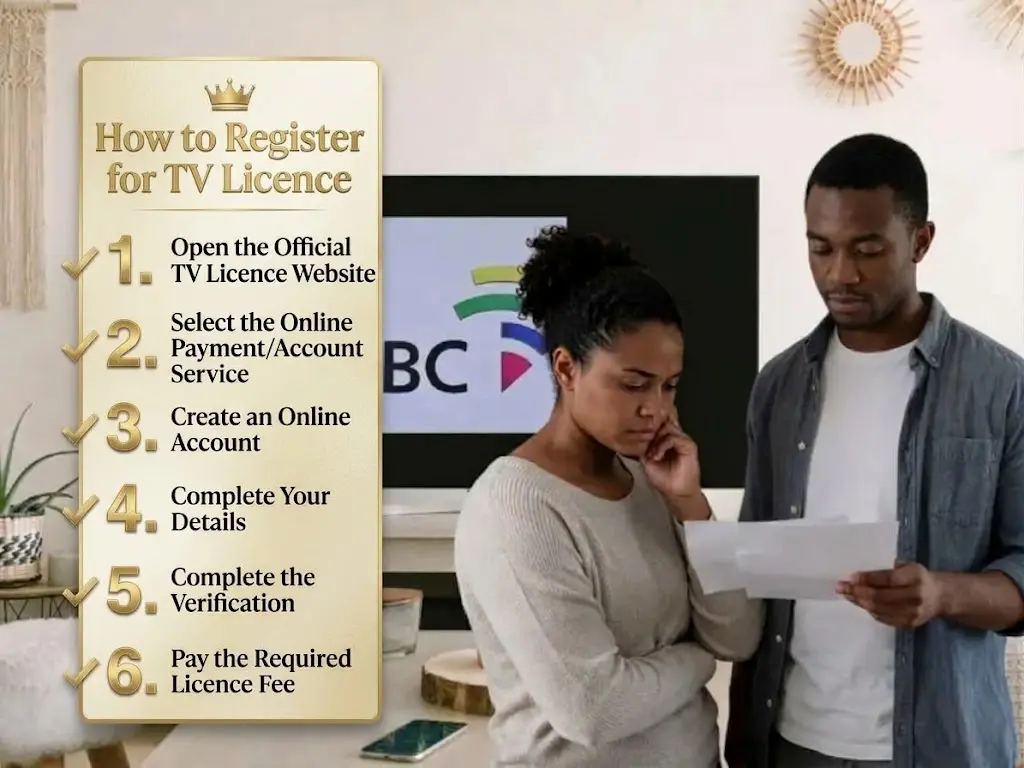
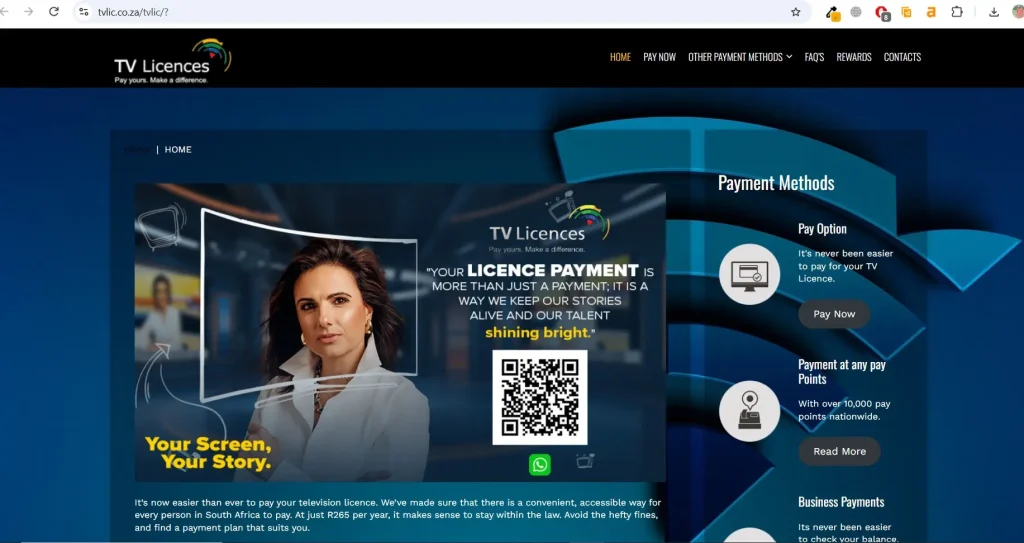
Step 1: Open the Official TV Licence Website
Visit the official SABC TV Licences website:
Avoid entering personal or payment information on websites that are not associated with the SABC TV Licences service.
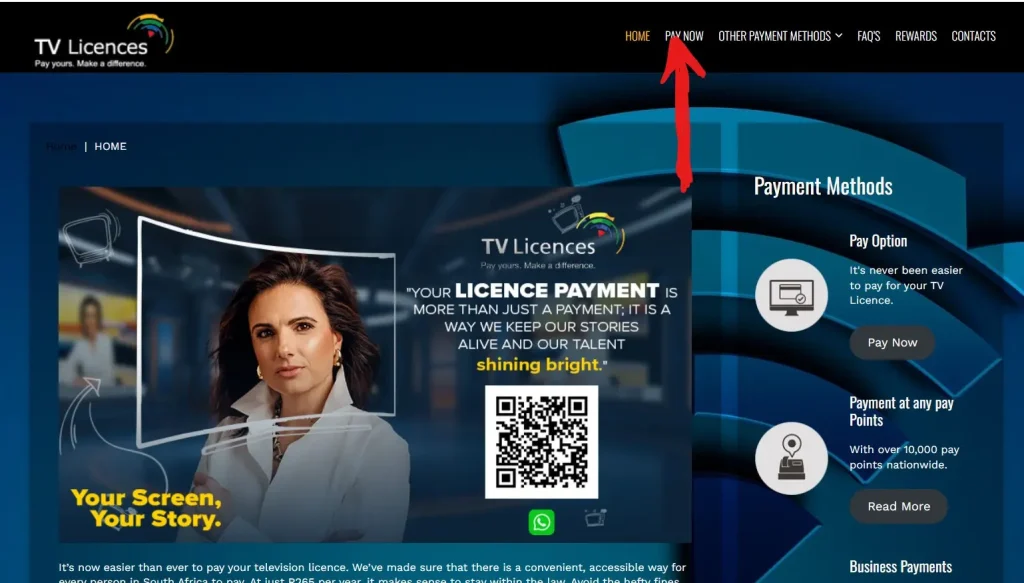
Step 2: Select the Online Payment/Account Service
The official website provides a Pay now option that takes users to the SABC TV Licences online service.
Step 3: Create an Online Account
The current registration page asks for information including:
The portal uses an OTP sent to the registered email address as part of the registration process.
Step 4: Complete Your Details
Enter your information carefully. Make sure your contact details correspond with the information associated with your TV licence account.
Step 5: Complete the Verification
Follow the OTP instructions displayed on the website. Once registration is completed, use your new credentials to access the online account.
Step 6: Pay the Required Licence Fee
The SABC states that a first-time TV licence application requires the full annual fee of R265 for a standard licence.
TV Licence Application
A TV licence application is required when you become responsible for a television set and do not already have the appropriate licence.
The SABC currently identifies several licence categories, including:
For an ordinary household, the domestic licence is generally the relevant category.
Information You May Need
For a new application, applicants should have their identification and relevant personal/account information available. The TV Licence Regulations state that a natural person applying for a licence must produce an identity document or another form of identification acceptable to the SABC. If you qualify for a concessionary TV licence, additional documentation is required. The SABC lists supporting documentation for qualifying social-grant recipients and people aged 70 or older.
How to Check Your TV Licence Balance Online
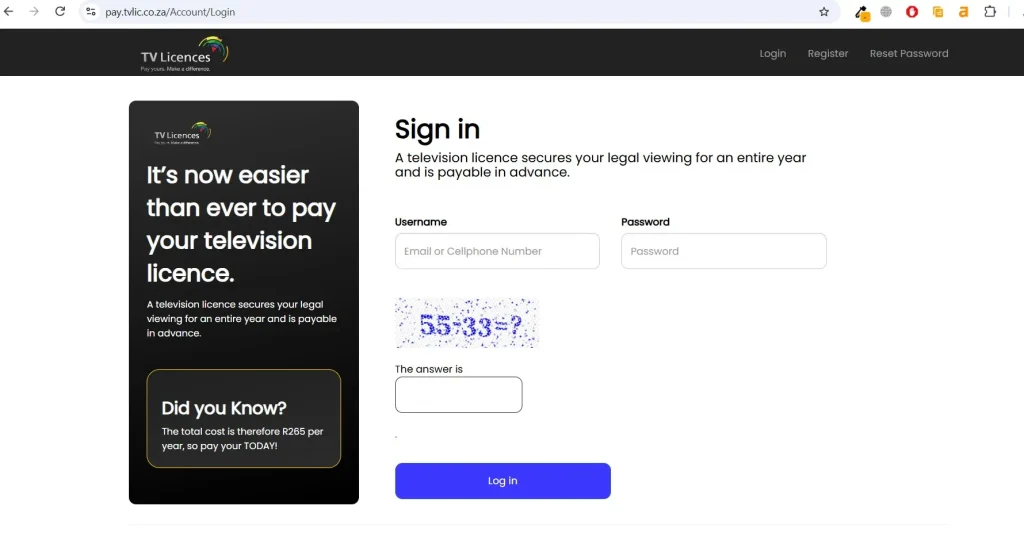
The official TV Licences website provides an online Check Your Balance & Pay service.
Step 1: Go to the Online Portal
Open:
Step 2: Enter Your Login Details
The current login page accepts either your:
along with your password.
Step 3: Sign In
Complete the security verification shown on the page and select the login option.
Step 4: Review Your Account
After signing in, review the information available for your TV licence account, including the amount that needs to be paid.
Step 5: Make a Payment if Required
If there is an outstanding amount, use an available payment option through the official service.
How to Renew Your TV Licence
A TV licence is valid for one year, and the SABC says renewals should be made annually before the licence expires.
Step-by-Step Renewal
The SABC says renewal notices are normally sent approximately two months before the licence expires, but not receiving a notice does not remove the responsibility to renew on time.
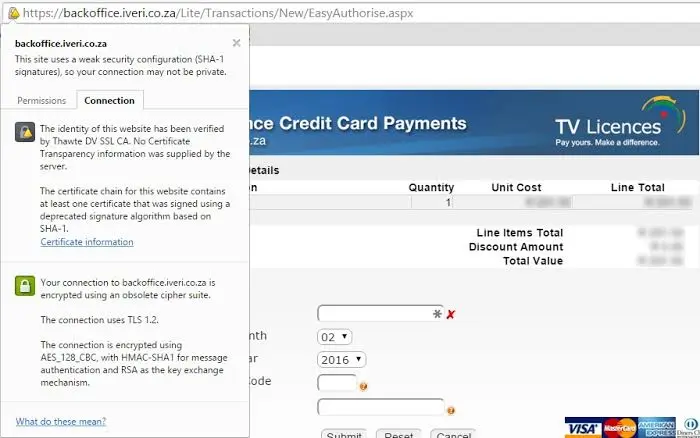
How to Pay Your TV Licence Online
The SABC currently supports online payment and also provides alternative payment channels.
Online Payment Steps
Step 1: Visit the official TV Licence portal.
Step 2: Log in using your email/cellphone number and password.
Step 3: Check your outstanding balance.
Step 4: Continue to the payment option.
Step 5: Enter the requested payment information.
Step 6: Confirm the transaction.
Step 7: Save the confirmation or receipt.
The SABC also lists banks, retailers, EasyPay outlets and other payment methods for people who prefer not to pay online.
TV Licence Fees 2026
The current SABC TV Licences information lists these annual fees:
| Licence Type | Annual Fee |
|---|---|
| Domestic | R265 |
| Business | R265 |
| Dealer | R265 |
| Lessor | R265 |
| Mobile | R265 |
| Concessionary | R74 |
For a first-time standard application, the full R265 annual fee is payable. The SABC says a domestic licence can subsequently be paid monthly at R28 per month, with its current website noting that monthly payments result in a higher annual total.
What Happens If You Do Not Pay Your TV Licence?
Failing to keep a licence account up to date can result in penalties. The SABC states that late accounts incur a 10% penalty per month, up to a maximum of 100% per annum, and overdue accounts may be referred for debt collection. For this reason, it is useful to check your account regularly and renew before the licence expires.
SABC TV Licence Fee Avoidance: What Is Actually Allowed?
People sometimes search for SABC TV licence fee avoidance because they no longer own a television or want to understand when they are legally exempt. The important distinction is between legitimate exemption/cancellation procedures and simply refusing to pay an existing liability.
According to the SABC’s FAQ:
If You No Longer Own a TV
If you have sold or otherwise disposed of your television set, the SABC says you should notify it using the prescribed process/affidavit concerning the changed circumstances. This is different from simply ignoring an outstanding TV licence account.
If Your TV Has Been Denatured
The SABC says that removing the receiving capability/tuner can make the equipment incapable of receiving a television signal. Its FAQ describes a formal notification, supporting documentation and inspection process for this situation. Because requirements and procedures can change, applicants should confirm the current process directly with TV Licences before submitting documentation.
How to Manage Your TV Licence Online
The online portal can be used to manage your TV Licence account. The official TV Licences website specifically provides a Manage your Account option for situations where account details have changed.
You Can Use the Portal To:
Changing Your Account Information
If your address or other relevant information changes, the SABC should be informed. Its FAQ states that a change of address should be reported in writing within 30 days.
How to Reset Your TV Licence Password
If you cannot remember your online account password, use the official reset page:
The current reset page asks for information including an email address, cellphone number and new password details. (TV License Payment) Follow the on-screen instructions and avoid sharing your password or OTP with another person.
Other Ways to Pay a TV Licence
Online payment is not the only option. The official TV Licences website lists payment options through banks, retailers, Pay At outlets and EasyPay outlets.
For example, the listed physical payment network includes retailers such as:
It also lists Pay At and EasyPay outlets including PEP, SPAR, Ackermans, Pick n Pay, Woolworths, Boxer and Shoprite Checkers. When making a bank payment, use your correct TV Licence account number as the reference so that the payment can be allocated correctly.
TV Licence Payment Problems and Support
If you have a payment, account or registration problem, contact the SABC TV Licences department using its official contact details.
The SABC lists the TV Licences customer service number as:
011 330 9555
Its listed customer-service hours are 08:00–18:00 on weekdays and 08:00–13:00 on Saturdays, excluding Sundays and public holidays. The listed email address is [email protected]. When contacting TV Licences, have your TV Licence account number and relevant identification information available where appropriate.
Be Careful of TV Licence Scams
Use the official SABC TV Licences website when checking your account or making payments. The SABC has previously warned the public about fraudulent TV Licence correspondence. In one warning, it specifically advised people not to download statements from suspicious emails and directed users to the official TV Licences website instead. (SABC)
For safety:
Frequently Asked Questions
Conclusion
Managing your TV Licence in South Africa is easier when you use the official SABC TV Licences website for registration, checking your balance, renewing your licence and making payments. Whether you are applying for a new licence, updating your details, or checking an existing account, following the correct online process can help you avoid unnecessary delays and payment problems. If you no longer have a television, make sure you follow the official SABC process for updating or cancelling your licence rather than simply ignoring outstanding payments. Always verify payment requests and account information through the official TV Licence website to protect yourself from scams. Keeping your licence information up to date and paying on time can help you manage your account without unnecessary penalties. for more information visit my home page click here.