

If you have lost access to the cellphone number linked to your SASSA SRD application, updating it as soon as possible can help you continue receiving important notifications and complete account-related verification. The sassa change phone number process is designed for applicants who need to replace an old, lost, incorrect, or inaccessible number with a new active cellphone number.For the safest process, always use the official SASSA SRD website rather than a third-party service. The official mobile-number update page is available here: SASSA SRD Mobile Number Update. SASSA’s own information confirms that applicants should keep their contact details current because the mobile number is used as an important communication channel. (SASSA)
Why You May Need to Change Your SASSA Phone Number
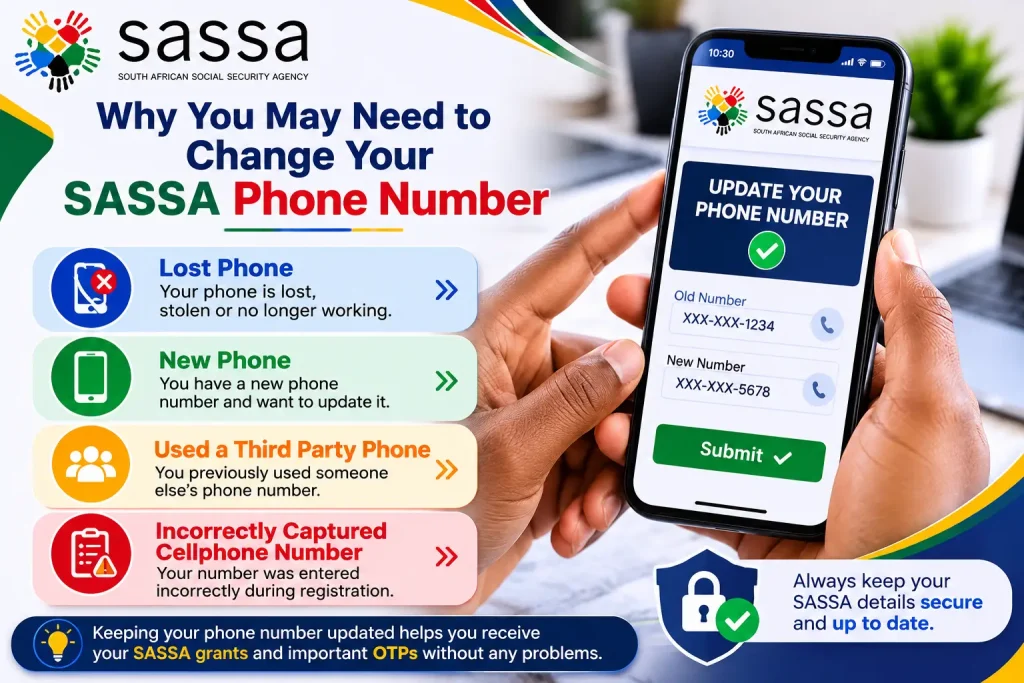
There are several reasons an SRD applicant may need to complete a sassa change phone number request. You may have lost your phone, replaced your SIM card, started using a new cellphone, or accidentally entered an incorrect number during your application.
The official SRD process provides reasons for changing the cellphone number, including:
Changing the number is particularly important if you can no longer receive SMS messages or OTP verification on your previous number. Keeping your contact information accurate also helps SASSA communicate with you about your application and grant-related matters.
SASSA Change Phone Number Official Website
Before starting the sassa change phone number process, make sure you are using an official SASSA domain. The dedicated page for updating an SRD cellphone number is:Official SASSA Change phone Number Update Page.You can also visit the main SASSA SRD website for other SRD-related services.SASSA also provides its broader online services through the official SASSA Services portal. (SASSA Services):for more details visit my official site: https://saservicesinfo.com/
Important: Never enter your ID number, banking information, OTP, or other sensitive details on websites that are not operated through official SASSA domains.
How to Change Your SRD Cellphone Number Online
The srd change cellphone number online process can be completed through the official SRD mobile-number update page. Before beginning, have your South African ID details and new cellphone number available.

Step 1: Open the Official SRD Mobile Number Update Page
Start by visiting the official SASSA page for changing the cellphone number:Open the official SASSA number-update pageAvoid searching through unofficial websites when you can access the official page directly. This reduces the risk of entering personal information into a fraudulent form.

Step 2: Enter Your Identification Details
The update process requires information that allows SASSA to identify your SRD application. Enter your South African ID number carefully and make sure the information corresponds with the details associated with your application.An incorrect ID number or other information can prevent the request from being processed correctly.
Step 3: Select the Reason for Changing Your Number
You will need to indicate why you want to complete the sassa change phone number request. The available options can include situations such as a lost phone, a new phone, use of a third-party phone, or an incorrectly captured number.Choose the option that accurately describes your situation. Providing accurate information is important because SASSA uses verification procedures to protect applicants from fraudulent changes.
Step 4: Complete OTP Verification
An OTP may be sent to the new cellphone number you provided. Make sure the SIM card is active and able to receive SMS messages before starting the srd change cellphone number online process.
When you receive the OTP:
Never give your OTP to another person. An OTP should only be entered on the official SASSA system when you are completing your own request.

Step 5: Make Sure Your SIM Is Registered Correctly
Before you submit a sassa srd change phone number request, check that your new SIM is active and registered in your name. You should also make sure that you have continued access to the number.If the number is inactive or you cannot receive SMS messages, you may have difficulty completing verification or receiving future communications.
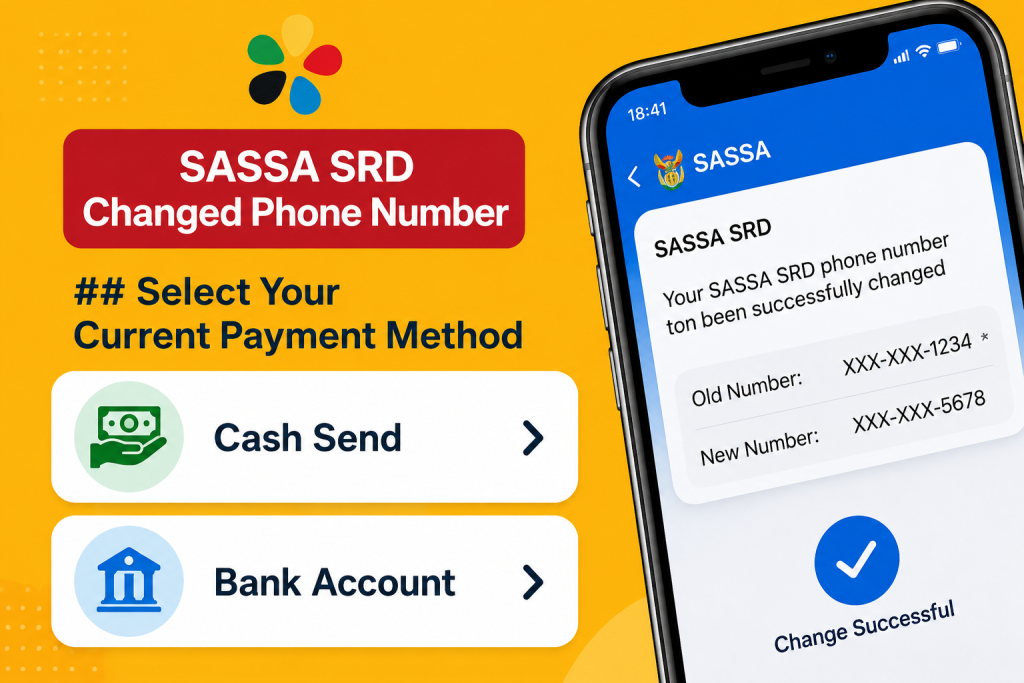
Select Your Current Payment Method
As part of the sassa srd change phone number process, the system may ask about your current payment option.Depending on the option selected, you may need to provide additional information.
Cash Send
If your current payment method is cash send, the system may ask you to select the relevant bank from the available options.
Bank Account
If you receive payment through a bank account, you may be asked to provide the last four digits of the account. Enter the information carefully and never provide your banking PIN or online banking password.The purpose of this step is to help verify that the request is associated with the correct SRD applicant.
Enter Your New Cellphone Number
The next important step in the change srd phone number process is entering the new cellphone number you want SASSA to use.
Make sure the number:
A number that cannot receive SMS messages may cause problems when an OTP or other verification communication is required.
Why Your New Number Matters
Your cellphone number can be important for receiving SASSA communications. The official SRD declaration states that the mobile number provided by an applicant is the channel through which SASSA can communicate regarding the grant, and applicants undertake to update the number if it changes. (SASSA)Therefore, completing a sassa change phone number request promptly after losing access to your old number can help prevent communication problems.
Verify Your Identity and Complete the Number Update
After entering your details and new cellphone number, the next stage of the sassa change phone number process is identity verification. SASSA uses verification and fraud-prevention measures to help protect SRD applicants and prevent unauthorised changes to account information.
What If You Lost Your Old Cellphone Number?
Losing the phone or SIM card connected to your SRD application is one of the common reasons for requesting a change srd phone number. You do not need to continue relying on a number that you can no longer access.Instead, use the official SASSA mobile-number update page and provide the requested information for your new number.You may need to complete additional verification because changing a registered cellphone number is a security-sensitive action. This helps protect applicants from someone attempting to change their contact details without permission.
Reasons You May Need an Update
Your situation may involve:
In each situation, use the official SASSA process rather than asking an unofficial person to change the details for you.
What Happens After You Submit the Request?
Once you complete the sassa change phone number request and any required verification, SASSA will process the update. The change may not appear instantly, so avoid repeatedly submitting requests unless the official system instructs you to do so.After your new number has been successfully updated, keep it active and accessible. You may need it for future communication relating to your SRD application.
Your updated number can be particularly important for:
Can I Change My SRD Number If I Used Someone Else’s Phone?
Yes, the information you provided indicates that used third-party phone is one of the reasons available when requesting a number change.If you originally submitted your SRD application using another person’s cellphone number and now have your own active number, use the official update process to provide your current contact number.When completing the srd change number request, select the reason that accurately describes your situation and complete all required verification steps.
What If I Entered the Wrong Number?
If your cellphone number was incorrectly captured during the application process, you should update it through the official SASSA SRD mobile-number update page.An incorrectly entered number can create communication and verification problems. Correcting it ensures that future messages are directed to a number you can actually access.For the safest sassa change phone number process, carefully check the new number before submitting your request.
Can You Change Your SRD Email Address?
The cellphone number is an important communication method for SRD applicants, but some applicants may also have an email address associated with their application.If you no longer have access to your previous email address or entered it incorrectly, check the relevant official SASSA system to determine whether an update is available for your application.Do not assume that every SRD applicant uses email in exactly the same way. Follow the instructions shown by the official SASSA platform for your particular application.
Important Security Rules When Updating Your Number
Changing your cellphone details involves personal information, so security should be a priority.
Use Only Official SASSA Websites
Always begin your srd change cellphone number online request through an official SASSA website.
Official SASSA services include:
Official SASSA Services Portal
For the specific cellphone update, use:
Check the domain carefully before entering your ID number or other personal information.
Never Share Your OTP
Your OTP is for your own verification. Do not send it to anyone through WhatsApp, Facebook Messenger, SMS, email, or a phone call.Be especially careful if someone claims they can complete a sassa change phone number request on your behalf and asks for your OTP.
Do Not Share Your Banking PIN
SASSA-related services may require certain information for verification, but your banking PIN is private. Never disclose it to another person claiming to represent SASSA.Likewise, avoid giving strangers your online banking password or other confidential banking credentials.
What to Do If the Number Update Does Not Work
If your change srd phone number request does not go through, first review the information you entered. Check your ID details, payment information where requested, and new cellphone number.Also confirm that your new SIM is active and capable of receiving SMS messages.If the problem continues, use official SASSA support channels rather than paying an unofficial service provider to make the change.
Contact SASSA for Assistance
For help with SRD-related matters, you can contact SASSA through its official channels.
SASSA Toll-Free Number: 0800 60 10 11
Official SRD Website:
When contacting SASSA, explain that you are trying to update the cellphone number connected to your SRD application and provide only the information necessary for verification.
Keep Your New Number Active
After successfully completing the sassa change phone number process, continue using the new number consistently. Avoid changing your contact details repeatedly unless necessary.Keeping one active number connected to your application makes it easier to receive important messages and complete future verification steps.If your phone is lost again or you change your number in the future, update your details through the official SASSA system as soon as possible.
Common Problems After Changing Your SASSA Phone Number
After completing a sassa change phone number request, you may not see the new number reflected immediately. Processing and verification can take some time, so avoid submitting multiple requests unnecessarily.
The New Number Is Not Receiving an OTP
If you do not receive an OTP, first check that your new SIM is active and can receive normal SMS messages. Confirm that the number was entered correctly and that your phone has network coverage.If the problem continues, use the official SASSA support channels rather than giving your OTP or personal information to an unofficial service.
Your Old Number Is No Longer Active
If your previous number has been lost, blocked, or disconnected, complete the srd change number process using your current active number. Do not attempt to regain access through an unofficial website or person claiming to represent SASSA.
Your Status Has Not Updated
A cellphone-number update and an SRD application-status update are not necessarily the same thing. After submitting a sassa srd change phone number request, allow time for the system to process the change.If you need to check your SRD application separately, use the official SASSA SRD portal.
How to Avoid SASSA Phone Number Scams
SRD beneficiaries are often targeted by people claiming they can change their details, fix payments, or process applications for a fee. You should be extremely careful when someone contacts you unexpectedly.For a sassa change phone number, you do not need to give an unknown person control of your account or provide your confidential verification codes.

Never Give Anyone Your OTP
An OTP is used to verify your identity. If someone asks you to send them the OTP you received, do not share it.
This includes people contacting you through:
Be Careful With Fake SASSA Websites
Before entering your ID number or cellphone details, check the website address carefully. The official SRD website is hosted on the srd.sassa.gov.za domain.For the official srd change cellphone number online service, use the dedicated SASSA page:
Official SASSA SRD Mobile Number Update
Do not trust a website simply because it uses the words “SASSA” or “SRD” in its name.
What Information Should You Keep Safe?
When completing a sassa change phone number request, you may be required to provide personal information for verification. Treat this information as confidential.
Never publicly post or send your:
If someone claims to be able to change your SRD details and asks for this information, use the official SASSA contact channels to verify the request first.
SASSA Change Phone Number: Important Checklist
Before submitting your request, make sure you have everything ready.
Check these items:
Taking a few minutes to check these details can reduce errors during the change srd phone number process.
What Should You Do After the Number Is Changed?
Once your sassa change phone number request has been processed, keep your new cellphone number active and accessible.Use the updated number consistently for SASSA-related communication and make sure you can receive SMS messages. If you change your number again later, update your details through the official SASSA system rather than leaving an outdated number on your profile.It is also a good idea to keep records of important information related to your SRD application, such as your application details and confirmation messages.
Can Someone Else Change My SASSA Phone Number?
You should complete the srd change cellphone number online process yourself through the official SASSA platform whenever possible.If another person offers to change your number for you, be cautious. You should not give them your OTP, banking PIN, password, or unrestricted access to your account.If you need assistance because you cannot complete the process yourself, contact SASSA through its official support channels.
Frequently Asked Questions
Final Thoughts
Keeping your contact information accurate is an important part of managing your SRD application. If your old cellphone number is lost, incorrect, inactive, or no longer available to you, use the official SASSA process rather than relying on unofficial services.The safest way to complete a sassa change phone number request is to use the official SASSA SRD mobile-number update page, provide accurate information, complete the required verification, and keep your new number active.For srd change cellphone number online, always start from the official SASSA website and never share your OTP, banking PIN, or password with another person.Start the SASSA SRD Mobile Number Update Official SASSA assistance: 0800 60 10 11
Read More